
Upgrade Your Network: 5 Wifi Mesh Systems to Consider
Published by Stuart in Electronics the 22/12/2025 at 15:36
Upgrade Your Network: 5 Wifi Mesh Systems to Consider
If you want to eliminate dead zones and enjoy fast, reliable internet across your entire home, upgrading to a mesh WiFi system is one of the smartest moves you can make. Mesh networks improve coverage, speed, and connectivity by using multiple units that work together seamlessly.
This means you won’t have to juggle multiple networks or suffer slow connections anymore. By considering the options below, you can find a system that fits your home size, device needs, and budget, ensuring your online experience is smoother and more enjoyable.
Top Picks
Category |
Product |
Price |
Score |
|---|---|---|---|
???? Best Overall |
$178.17 |
90/100 |
|
⚡ Best Performance |
$249.98 |
92/100 |
|
???? Best Value |
Netgear Nighthawk Whole Home Mesh WiFi 6 System 3-Pack (Renewed) |
$69.99 |
78/100 |
???? Best for Beginners |
$129.99 |
85/100 |
|
???? Best Innovation |
$139.99 |
88/100 |
How You Should Choose Your Mesh WiFi System
When upgrading your network, consider coverage area to ensure the mesh system can handle your home’s size without dead spots. Speed is crucial if you stream, game, or work from home, so choosing systems with the latest Wi-Fi standards like Wi-Fi 6 or Wi-Fi 7 will give you better performance and future-proofing.
Ease of setup and management helps you get connected quickly and control your network effortlessly. Also, look for extra features like parental controls, app support, Ethernet backhaul options, and compatibility with your existing devices.
Finally, weigh your budget against the value offered to find a system that meets your needs without overspending.
Netgear Nighthawk MK63
If you’re tired of dead zones and slow WiFi, this Netgear Nighthawk MK63 mesh system could be just what you need. It’s designed to cover up to 4500 square feet smoothly, making it a great fit for medium to larger homes.
Whether you’re streaming your favorite shows, gaming online, or juggling video calls, you’ll notice the difference with fast, reliable speeds up to 1.8Gbps. Setting it up takes a bit of care but once it’s going, managing your network remotely via the app makes life simpler, especially when you want to keep an eye on connected devices or pause WiFi for the kids. Plus, its sleek design blends nicely in your space without flashing antennas.
Overall, it balances price and performance well if you’re looking for solid whole-home coverage without breaking the bank.
What People Say
Users appreciate its coverage and reliable speeds, especially in larger spaces. The ability to control the network through an app is a common plus, while setup is generally straightforward if you follow the instructions carefully.
????️ Nebti21
This system really held up well in a large 6000 sq. ft home and gave reliable, decent speeds without any hassle. I also love being able to manage my vacation cottage’s router from afar. It’s super affordable yet gets the job done without any complicated extras.
????️ Timothy Ginnegar
Great for streaming and gaming with solid WiFi coverage that even reaches outside my house. Setup was straightforward – just download the app and plug it in. No need to run Ethernet cables all over, which saved me a lot of hassle.
Smart Bandwidth Sharing
Netgear uses OFDMA technology here, making your WiFi bandwidth sharing smoother so all your devices can stream, game, or work without fighting for signal time.
Efficient Tech for Busy Homes
This system is designed to handle multiple devices efficiently with WiFi 6 tech, which can help reduce power use compared to older models by managing device connections more intelligently.
Why You'll Like It
- Smooth, fast WiFi for up to 25 devices
- Good coverage for medium to large homes up to 4500 sq. ft.
- User-friendly app that lets you manage your WiFi remotely
- Dual-band WiFi 6 technology ensures efficient bandwidth use
- Sleek design without bulky antennas or flashy lights
Current Price: $69.99
Rating: 4.2 (total: 1330+)
Shop NowTP-Link Deco S4
If you want to wipe out those annoying dead zones in your home, the TP-Link Deco S4 offers a simple way to get there. It’s a set of three identical units that work together seamlessly, so as you move through your space, your device connects to the strongest signal without you having to lift a finger.
Setup is surprisingly easy with the Deco app guiding you step-by-step, even if you’re not super techy. It covers a huge area—up to 5,500 square feet—perfect for multi-floor houses or larger apartments.
You can hook up your wired devices via Gigabit Ethernet ports on each unit, which is handy for gaming consoles or smart TVs. Plus, it works with Alexa, so you can toggle guest WiFi by voice. Whether you’re streaming, working from home, or just browsing, this mesh system keeps things steady and smooth.
What People Say
Most folks praise its reliable coverage across large or multi-story homes and the simplicity of the app setup. People love how it handles multiple devices without slowing down and appreciate the extra Ethernet ports for wired connections.
Some wish for a web-based interface, but the mobile app generally covers all the essentials.
????️ ARVIN CASTRO
I switched from Verizon’s bundled router to the Deco S4, and the difference was night and day. Coverage is solid on all three floors plus outside, with speeds holding strong in every corner. Setup was a breeze with the app walking me through each step, and I appreciate the ability to manage profiles and block devices right from my phone. The fact that these units have two Gigabit Ethernet ports each has been super helpful, too.
????️ Kevin K
Installation took about 10 minutes thanks to the clear instructions through the app. Now I get strong, reliable WiFi throughout my house and even into the yard. Resetting it a few years later was easy with TP-Link’s tech support walking me through the process patiently. Definitely recommend if you want solid coverage without fuss.
Seamless Mesh Networking
TP-Link’s Deco Mesh technology lets the units work as one network, so your devices automatically switch to the strongest signal without dropping connections as you move around. This mesh approach offers a much smoother experience than traditional extenders.
Smart And Efficient
The Deco S4 manages device connections intelligently to optimize network performance and reduce power consumption compared to older WiFi setups, helping keep your energy use in check.
Why You'll Love It
- Extensive coverage up to 5,500 sq.ft. with no dead zones
- Seamless roaming on a single network name and password
- Easy setup guided by the Deco mobile app
- Two auto-sensing Gigabit Ethernet ports per unit for wired devices
- Compatible with all TP-Link WiFi devices for future expansion
- Works with Alexa for simple voice control of guest WiFi
- Supports up to 100 devices simultaneously
- Robust parental controls to manage online access for family members
Current Price: $129.99
Rating: 4.5 (total: 27795+)
Shop NowTP-Link Deco X20
If you've been juggling spotty WiFi and dropped connections around your home, the TP-Link Deco X20 could be just what you need. It’s a set of three units that spread strong WiFi across up to 5,800 square feet, knocking out dead zones without any complicated setup. Whether you're working from home, streaming your favorite shows, or gaming, the seamless handoff means your devices always connect to the best signal as you move from room to room.
Plus, if you like wired connections, it has six Ethernet ports across the three units for things like smart TVs or consoles. The app is straightforward and even alerts you when new devices join your network, so you stay in control with minimal hassle.
What People Say
Users love how the Deco X20 transformed their WiFi experience — from dead zones and slow speeds to consistent coverage everywhere, even in tricky multi-floor layouts. Many highlight the app’s ease of use and the option for wired backhaul, which ups the reliability.
The system handles lots of devices at once without hiccups, and setup is quick enough that even less tech-savvy folks can get started in minutes.
????️ P. Guthry
I was using a basic Apple Timecapsule before and struggled with coverage, especially on the third floor of my three-story home. Setting up the Deco X20 took less than 10 minutes, and the difference is night and day. Now, I get fast, steady speeds everywhere, including 300 Mbps on the top floor where it used to be a mess. The app is great to check connections and get alerts when new devices connect. For the price, this setup just makes sense.
????️ Brett
These units work well whether using WiFi or wired Ethernet backhaul, which I find great for reliability. I’ve set them up both at home and at my church, and it’s been rock solid. The router features aren’t super fancy, but they have everything most folks need, and the setup process was quick and simple. It just works.
Next-Level Seamless Mesh
This mesh system uses WiFi 6 combined with TP-Link’s mesh technology to create a smart network that automatically hands your devices off to the best signal without dropping connections. That seamless experience makes a big difference if you’re walking around the house with video calls or streaming.
Smarter And Greener
Thanks to WiFi 6's smarter data management, the Deco X20 optimizes connections to reduce power use compared to older tech, which helps keep both your energy bill and device heat down.
What Makes It Stand Out
- WiFi 6 for faster speeds and more connected devices
- Covers up to 5,800 sq.ft., great for larger or multi-level homes
- Seamless roaming lets your devices switch automatically as you move
- Six Ethernet ports total for wired connections where you want them
- Setup made easy with a user-friendly app and helpful alerts
- Supports up to 150 devices without slowing down
- Includes parental controls to manage online access
- Built-in security with TP-Link’s HomeShield protects your network
Current Price: $139.99
Rating: 4.5 (total: 15237+)
Shop NowTP-Link Deco BE23

If you're tired of WiFi dropping out or slowing down when too many devices are connected, the TP-Link Deco BE23 might be just what your home network needs. This 3-pack covers a huge 6,500 square feet, so you can forget about dead zones even in bigger homes. It’s designed to handle over 150 devices smoothly, whether you’re gaming, streaming 4K videos, or just browsing on your smartphone.
The system uses AI-powered roaming, so your devices always grab the best signal as you move around, and the app makes setup and management pretty straightforward. Plus, with two 2.5 Gbps Ethernet ports per unit, you can plug in your high-demand devices for even faster and more stable connections.
It’s a solid choice if you want a future-proof setup that keeps up with the latest gadgets.
What People Say
People appreciate how the Deco BE23 transforms their WiFi experience, especially in tricky layouts or large spaces. Reviews highlight how easy it is to set up, the impressive coverage, and how the AI-roaming practically makes network drops disappear. Parents love the control features, and gamers and streamers praise its speed and stability, even with many devices connected.
????️ Sean
The difference after switching to the Deco BE23 was immediate. Setup took less than 30 minutes using the Deco app, and now streaming 4K, gaming, and remote work happen with zero lag. Every smart device at home feels faster and more responsive. It covers all corners of our large house with a strong signal, making those old dead zones a thing of the past.
????️ Mark N.
I’ve tried lots of network gear over the years, but this one really nails it for ease of use and parental controls. The app is pretty intuitive, and I was able to customize profiles for my family without any headaches. My WiFi is rock solid everywhere, and I can manage things like pausing the kids’ internet from work, which really comes in handy.
Cutting-Edge Wi-Fi 7 Tech
The Deco BE23 uses the latest Wi-Fi 7 Multi-Link Operation technology, allowing it to combine multiple bands for faster and more stable connections. This means fewer buffering moments, smoother games, and faster downloads, even when lots of devices compete for bandwidth.
It also smartly switches between wired and wireless backhaul to keep your network steady.
Smart And Efficient
Thanks to smart scheduling like Target Wake Time and other Wi-Fi 6 features built in, the Deco BE23 manages power wisely to reduce wasted energy. That means less heat from the devices and a more eco-friendly network setup that doesn’t run your bill up.
Why You'll Like It
- Wi-Fi 7 technology delivers blazing fast speeds up to 3.6 Gbps
- Covers up to 6,500 sq.ft., perfect for large homes or multi-level living
- Supports over 150 devices without slowing down your network
- Dual 2.5 Gbps Ethernet ports on each unit for ultra-fast wired connections
- AI-driven seamless roaming keeps you connected anywhere at home
- HomeShield adds robust security, parental controls, and IoT protection
- Easy setup and management with a friendly Deco app
- Compatible with Alexa and Google Assistant for convenient voice controls
Current Price: $178.17
Rating: 4.5 (total: 3632+)
Shop NowTP-Link Deco BE25

If you’re ready to supercharge your home WiFi, the TP-Link Deco BE25 offers a reliable mesh setup that blankets up to 6,600 square feet. Handling over 150 devices without breaking a sweat, it’s great whether you’re streaming your favorite shows, jumping into intense gaming sessions, or just juggling multiple smart gadgets around the house.
The AI-driven roaming means your devices seamlessly connect to the best signal as you move, so there’s no fumbling around for WiFi or annoying slowdowns. Plus, with two 2.5 Gbps Ethernet ports on each unit, you’re set for ultra-fast wired connections when you need them. The app keeps things simple for setup and management, so it’s a solid pick if you want a future-ready system that just works.
What People Say
People mention how easy the setup is and how securely the Deco BE25 covers every corner of their home, even spaces with thick walls. Users love the steady, fast speeds whether they’re on mobile devices or plugged in, and the intelligent AI roaming which seems to ‘just work’ without constant tweaking. Some also appreciate the layered security and parental controls offered through HomeShield.
????️ Forrest Erickson
Setting this up was a breeze and the coverage is fantastic. Before switching to the Deco BE25, I struggled with spotty 30 Mbps speeds on mobile devices, but now I’m seeing consistent 200 Mbps throughout the house with no drops. The app makes it easy to keep track of everything connected and manage the network.
????️ Dominique H.
I’ve had this mesh system for a few days, and it’s been running incredibly well. The initial setup had a hiccup with one unit not connecting, but after a factory reset, everything synced perfectly. Coverage is solid even with thick walls, and the ability to add extra units makes it easy to extend. The speed and connection quality have really improved in the areas it reaches.
Next-Level Wi-Fi 7
This system nails the latest Wi-Fi 7 features including Multi-Link Operation (MLO), which cleverly balances multiple bands for smoother connections and less buffering. You also get two ultra-fast 2.5 Gbps ports per unit to handle wired backhaul alongside wireless, giving you the flexibility to create the most stable setup possible.
Energy Smart
Powered by smart Wi-Fi 6 and 7 protocols like Target Wake Time, the Deco BE25 manages energy use so it’s kinder to your electric bill and keeps devices cooler during long hours of use. It’s a thoughtful mix of power and efficiency under the hood.
What You'll Like
- Blazing fast Wi-Fi 7 speeds up to 5 Gbps for smooth streaming and gaming
- Covers a large area of up to 6,600 sq.ft., perfect for big homes
- Supports 150+ devices for busy households with lots of gadgets
- Two 2.5 Gbps WAN/LAN ports per unit for speedy wired backhaul
- AI-powered seamless roaming keeps you connected while moving
- HomeShield security offers network and IoT device protection
- Easy setup and network management through a clean app interface
- Works with Alexa and Google Assistant for convenient voice control
Current Price: $249.98
Rating: 4.5 (total: 12,932+)
Shop NowFAQ
What Are The Most Important Factors To Consider When Choosing A Wifi Mesh System?
When upgrading your network with a Wifi mesh system, you want to focus on coverage area, the number of devices supported, and the technology standard like Wi-Fi 6 or Wi-Fi 7 for faster speeds and better capacity. Also, consider whether you need features like wired Ethernet backhaul for enhanced stability and reduced lag. Look for easy setup and management through a mobile app, plus options such as parental controls and guest networks.
Think about your home size and layout—some systems like the TP-Link Deco S4 promise coverage up to 5,500 sq. ft, while others like the Deco BE23 cover even more with cutting-edge Wi-Fi 7 technology.
Finally, balance your budget with your needs—an affordable system like the Netgear Nighthawk renewed 3-pack at $69.99 can deliver strong coverage for many homes, while premium models with advanced features cost more.
How Difficult Is It To Set Up And Manage A Wifi Mesh Network?
You’ll find that most modern Wifi mesh systems are designed for plug-and-play simplicity. With systems like TP-Link Deco or Netgear Nighthawk, you just download the official app and follow step-by-step instructions to get everything up and running in minutes. The apps typically allow you to manage your entire network, monitor connected devices, and create usage profiles or parental controls right from your phone—giving you full control without requiring advanced technical skills. That said, a small learning curve can occur, especially if integrating with existing modems or using advanced features like access point mode.
However, the convenience of seamless roaming across your home and automatic updates more than outweighs any initial setup effort.
Will A Mesh System Improve My Wi-Fi Speed And Eliminate Dead Zones Completely?
Yes, a well-chosen Wifi mesh system can dramatically improve your Wi-Fi coverage and reduce or eliminate dead zones by distributing strong signals across your entire home. As you move from room to room, your devices will automatically connect to the strongest node, creating a seamless experience without interruptions.
However, factors like building materials, interference, your internet service speed, and device capabilities affect performance. For example, if you have a metal roof or thick walls, coverage might require placing nodes thoughtfully. Systems such as the TP-Link Deco X20 and BE23 support wired Ethernet backhaul which boosts speed and reliability further.
Keep in mind, while mesh systems improve coverage and speed throughout your home, your internet speed is still limited by your ISP's plan, so make sure your service supports the speeds you want to enjoy.
Wrapping Up
Upgrading your home network with a mesh WiFi system means better coverage, faster speeds, and seamless connectivity no matter where you are. Whether you’re on a budget or want the latest technology, there’s a reliable option for you in these five picks.
From the groundbreaking WiFi 7 capabilities of the TP-Link Deco BE packs to the affordable and dependable Netgear Nighthawk Mesh, these systems can transform your internet experience. Choosing the right mesh system lets you enjoy smooth streaming, lag-free gaming, robust device support, and easy network management, helping you stay connected confidently throughout your home.
| Product | Image | Rating | Coverage Area | Maximum Device Connections | Special Highlights | Price |
|---|---|---|---|---|---|---|
| Netgear Nighthawk Whole Home Mesh WiFi 6 System, 3-Pack |  |
4.2/5 (1,330 reviews) | Up to 3,000 Sq.Ft. | N/A |
|
$69.99 |
| TP-Link Deco Mesh AC1900 WiFi System (Deco S4) |  |
4.5/5 (27,795 reviews) | Up to 5,500 Sq.Ft. | N/A |
|
$129.99 |
| TP-Link Deco WiFi 6 Mesh System (Deco X20) | 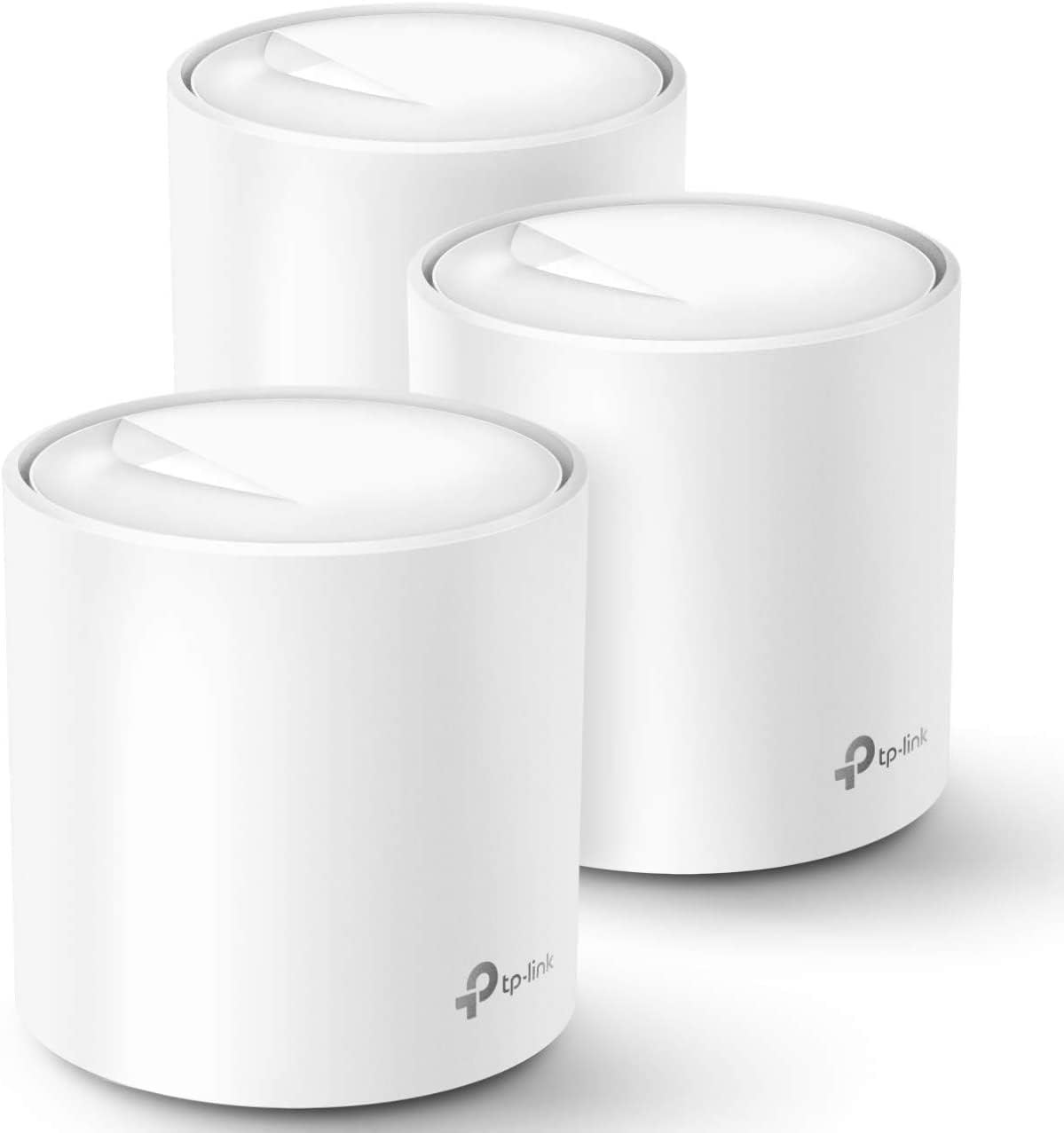 |
4.5/5 (15,237 reviews) | Up to 5,800 Sq.Ft. | Up to 150 Devices |
|
$139.99 |
| TP-Link Deco BE23 Dual-Band WiFi 7 Mesh System |  |
4.5/5 (3,632 reviews) | Up to 6,500 Sq.Ft. | Over 150 Devices |
|
$178.17 |